Skip all the tedious bits and go straight to building your M7 integration
Copper M7 lets you connect to M7 (e.g. EPEX M7, HUPX, SEMOpx, CROPEX, etc.) with literally only a single line of C# code and a little bit of configuration.



Copper M7 core features
This is what we wanted ourselves, when we needed to connect to EPEX M7.

Idiomatic
Based on Microsoft's generic host model, every .NET developer will feel right at home.
Close to the metal
Gives you tight control of the M7 order management API, enabling development of very fast trading algorithms.
Intuitive coding models
With explicit concepts for the "initial sync" and "broadcast" phases, hooking into the right place is a breeze.
Tuneable caching
Built-in caching of products, contracts, and order books enables that you go straight to building your algo. The caches can of course also be disabled to reduce the memory footprint.
Why trading companies choose Copper M7 over other M7 connectors
The right balance between getting help with all the tedious bits while retaining tight control, enables trading companies to easily get started building their own trading algorithms.
It's a matter of using resources in the right place.



Direct connection – execution speed is as fast as it can get!
Approved on EPEX, HUPX, SEEPEX, and BSP – no need for conformance test
Straightforward APIs – built on contemporary .NET idioms
Helps with adhering to request limits
Implements the protocols described in M7 API documentation
Comes in the form of a set of NuGet packages

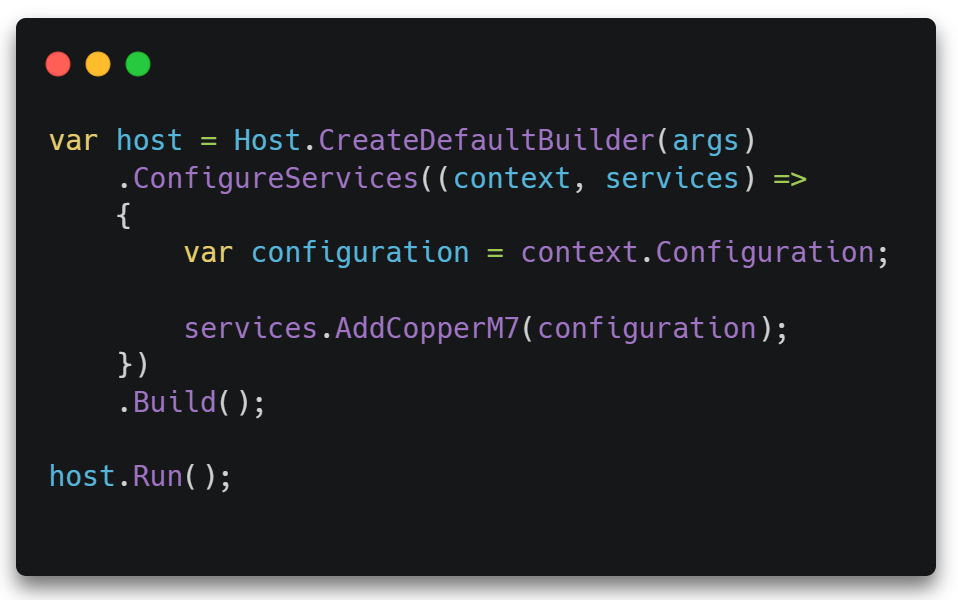
Tapping into Microsoft's generic host model, starting your robust M7-powered integration service is just as easy as calling an extension method on your IServiceCollection.
The use of idiomatic C#/.NET constructs makes Copper M7 easily approachable to all .NET developers.
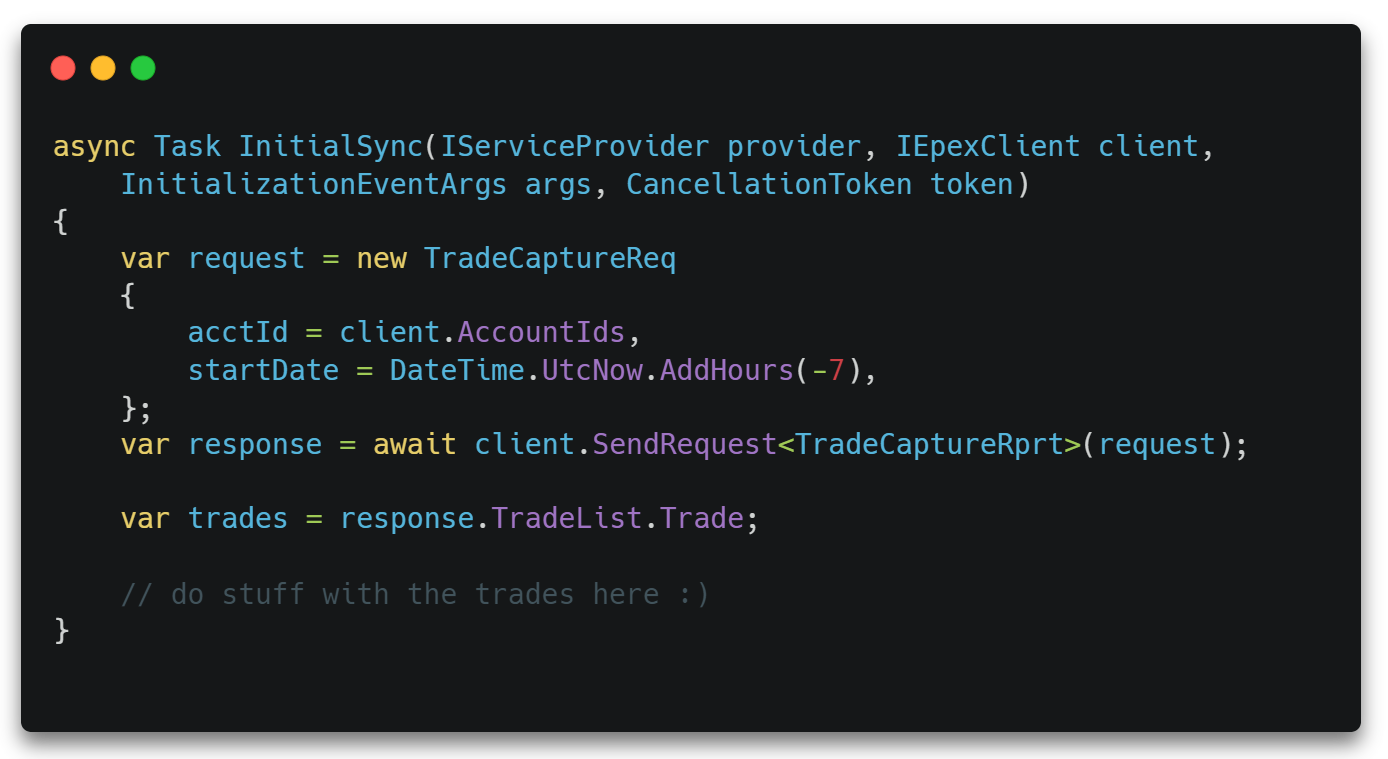
Doing the initial sync is done simply by providing a callback. Copper M7 will call it during startup, and subsequently whenever it is required, e.g. after having been disconnected.
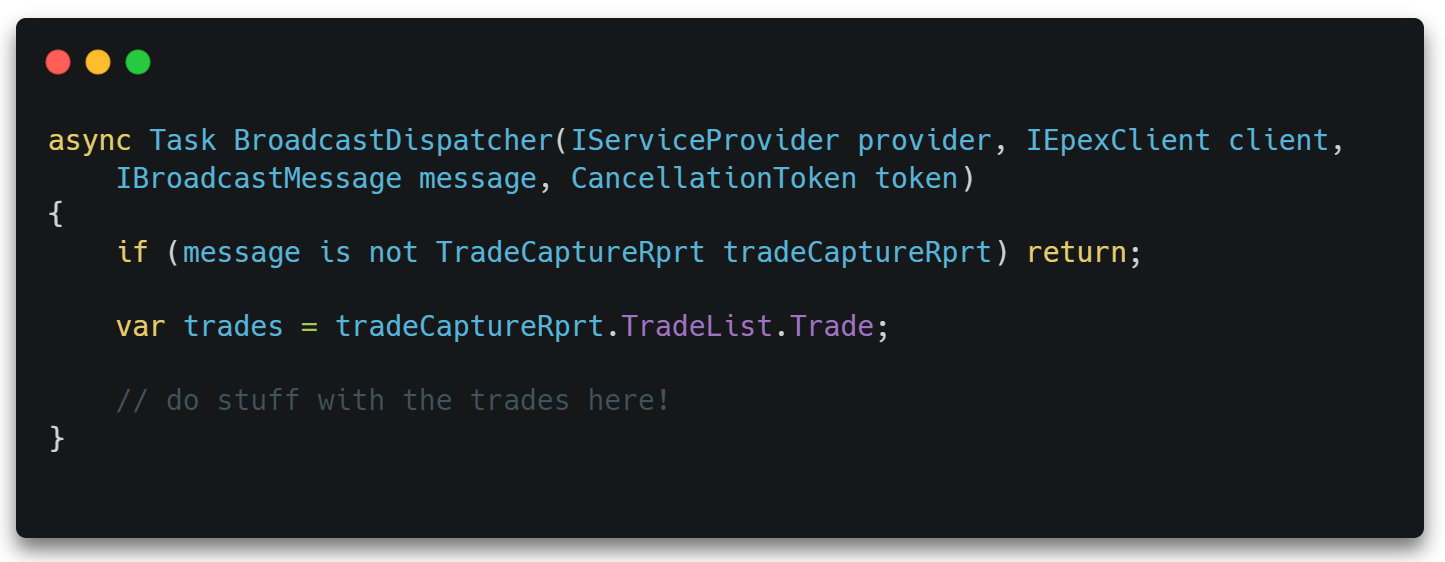
Broadcast messages get dispatched to the broadcast dispatcher function.
Copper M7 guarantees that you'll receive broacast messages in the correct order.
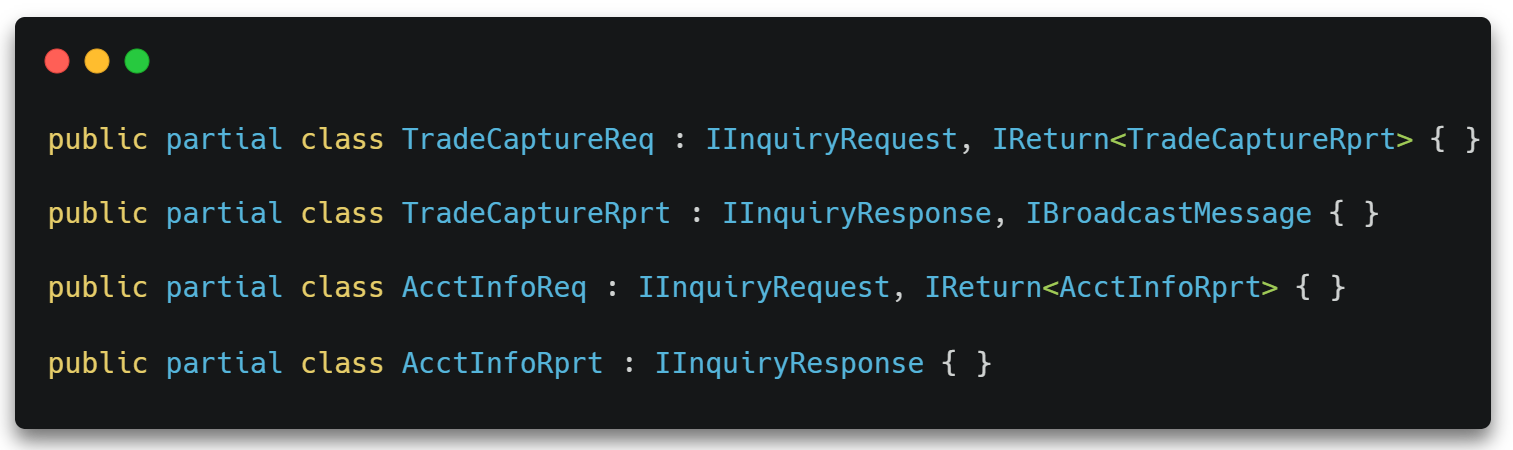
All message types are represented as C# classes.
In addition to this, types are marked with interfaces, classifying messages as one or more of IInquiryRequest, IInquiryResponse, IManagementRequest, IManagementResponse, IBroadcastMessage – AND, finally, all requests are marked with their return types, e.g. TradeCaptureReq is marked with IReturn<TradeCaptureRprt>, thus linking requests with their responses.
Copper M7 automatically retrieves and caches relevant entities, keeping them updated in the background.
They can be accessed via dedicated helpers, e.g. IContractHelper, which may be used to easily get contract information.
Currently, there are caches for system info, products, contracts, order book (private), and contract order books (i.e. all public orders/full market depth).
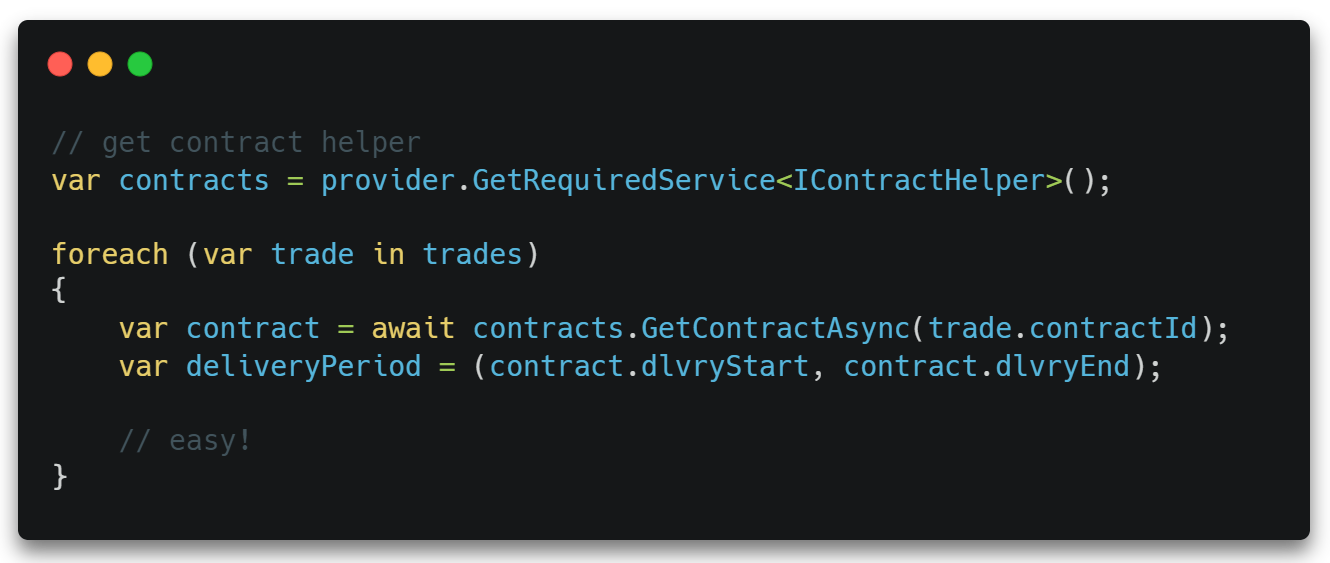
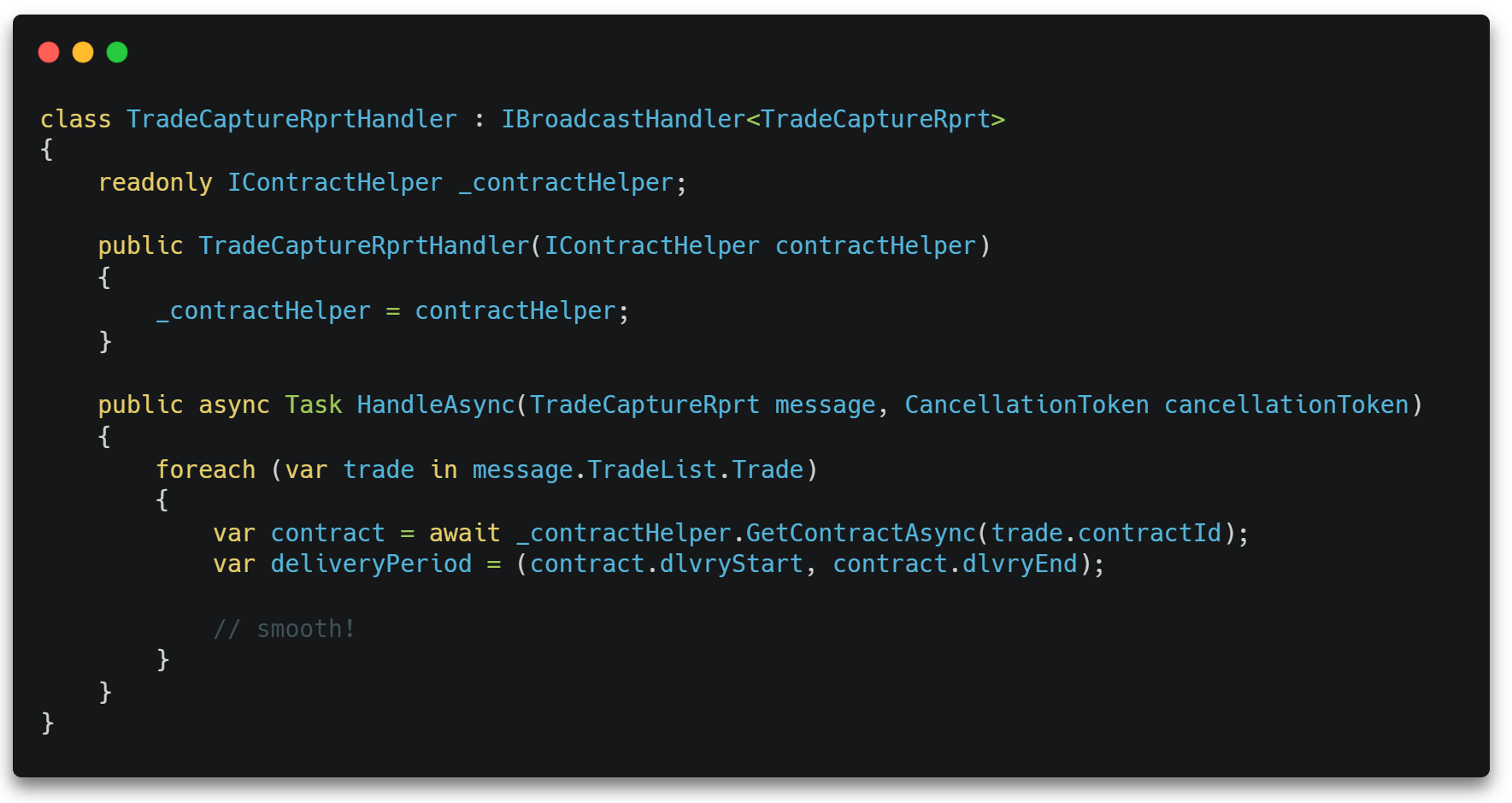
Handlers for initial sync and broadcast message processing can be registered with services.AddInitialSyncHandler<THandler>() and services.AddBroadcastHandler<THandler>() for full dependency injection support.
For example, you can call services.AddBroadcastHandler<TradeCaptureRprtHandler>() to add the handler type TradeCaptureRprtHandler to the container, which will then be resolves each time an incoming broadcast message is a TradeCaptureRprt.

Ready to Start Trading Risk-Free?
Get in touch to learn more about our pricing options and find the perfect plan for your trading business.